Funding rates explained: what the number means
Jordan Ellis
Senior Product Marketing Manager, CoinBeacon
A funding rate is the price of holding a leveraged position in a perpetual future. It changes by the hour, it differs between exchanges, and its sign tells you which side of the market is paying to stay in.
What a funding rate is for
A perpetual future is a futures contract with no expiry date. An ordinary future converges on the spot price as it expires; a perpetual never expires, so it needs another way to stay close to spot. Funding is that mechanism: at set times, one side of the market pays the other.
Broadly, when the perpetual trades above spot, the rate is positive and longs pay shorts, which makes being long more expensive and pulls the price back down. When it trades below spot, the rate is negative and shorts pay longs. The exchange only passes the money between traders; it is not a fee the exchange keeps.
Reading the number
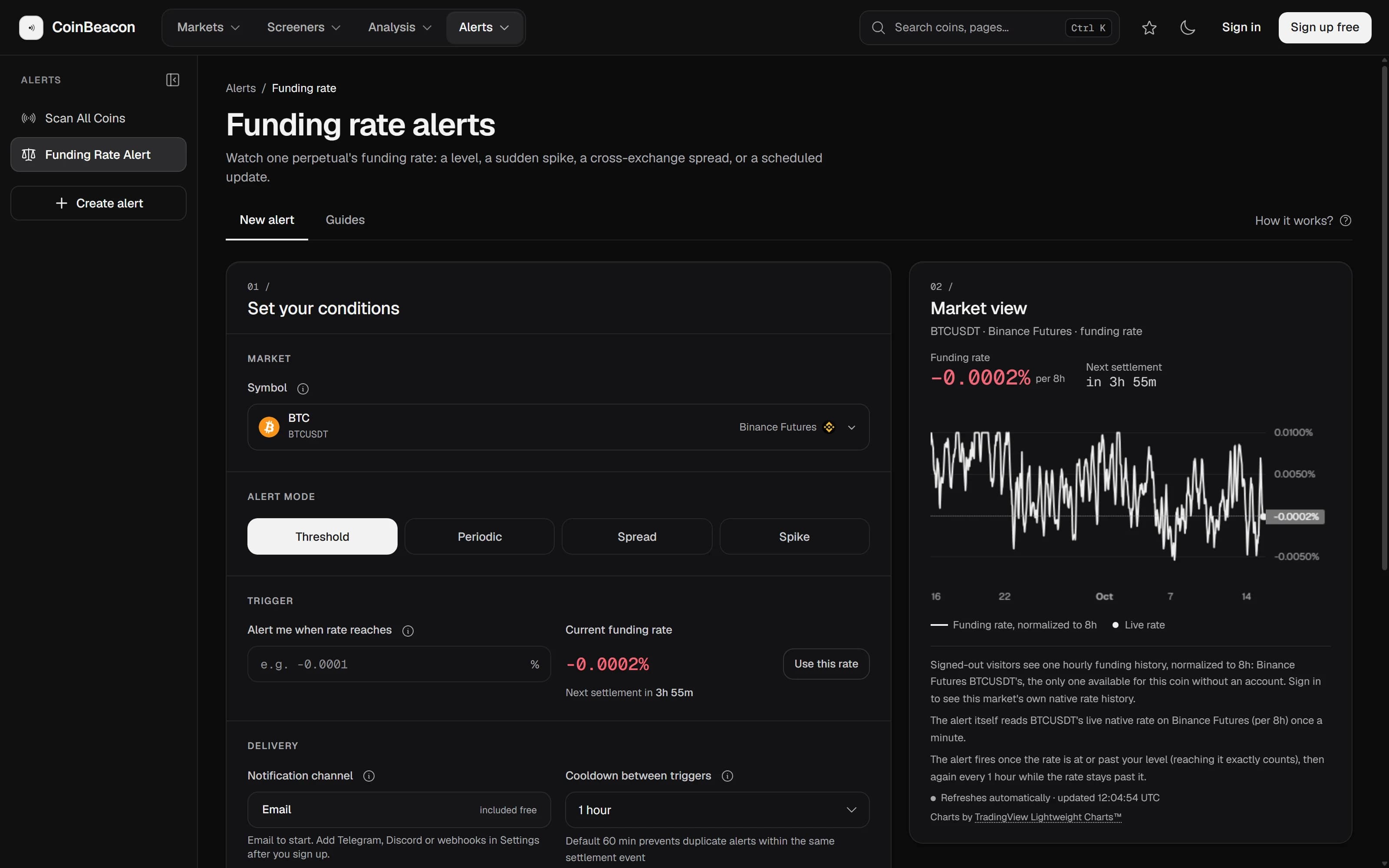
A funding rate is a percentage of your position, charged once per settlement. On a $5,000 long, a rate of +0.05% costs $2.50 at each settlement; on a contract that settles every 8 hours, that is $7.50 a day. At −0.05%, the same long would receive $2.50 each time instead.
- The sign says who pays. Positive: longs pay shorts. Negative: shorts pay longs.
- The size says how lopsided the market is. Small rates are normal background. Large ones mean one side is crowded enough to keep paying a premium to stay in.
- The interval says how often it is charged. Contracts settle every 1, 4 or 8 hours, and the interval is set per contract, not per exchange.
Why each exchange pays a different rate
Each exchange’s rate comes from its own order book and its own traders. If longs crowd into a coin on one exchange while another stays balanced, the first pays more. CoinBeacon tracks funding on 8 futures exchanges (Binance, Bybit, OKX, Bitget, Gate.io, KuCoin, HTX, and BingX), and on a busy coin the spread between the highest and lowest of them can be wide.
A coin can also have more than one perpetual on the same exchange, for example one settled in USDT and one in USDC. Each is its own book with its own rate. (Dated quarterly futures pay no funding at all; they converge on spot by expiring instead.)
Comparing rates fairly
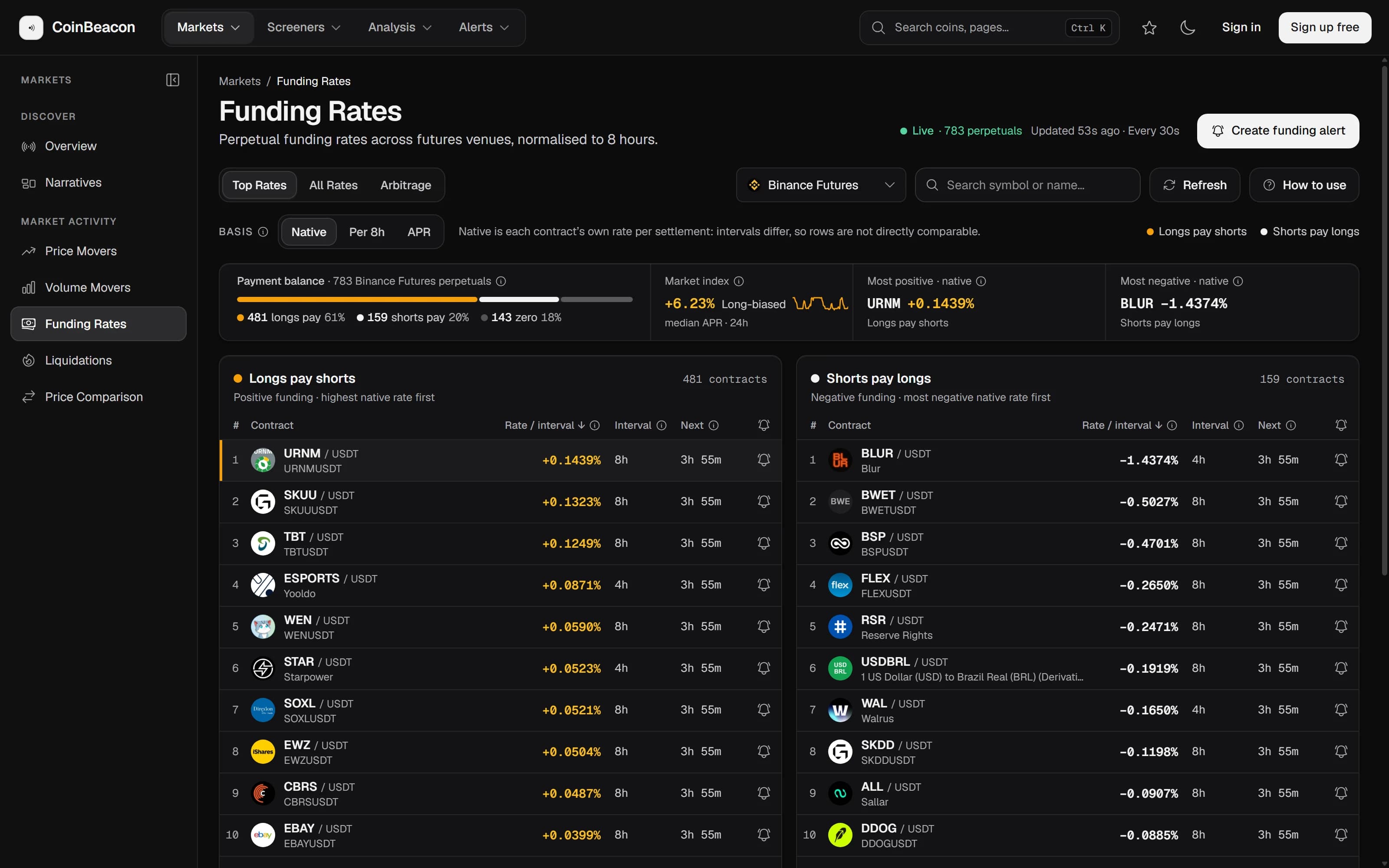
Because intervals differ, two raw rates are often not the same unit. A rate of 0.02% charged every 4 hours costs twice as much per day as 0.02% charged every 8 hours, although the two numbers look identical. The board therefore offers three views of every rate:
- Native is the rate as the exchange quotes it. Per settlement, at that contract’s own interval. Correct, but not comparable between contracts with different intervals.
- Per 8h puts every contract on one clock. The rate is converted to an hourly figure using the contract’s own interval, then multiplied by eight, so every row can be compared directly.
- APR extrapolates the current rate over a year. The hourly rate times 8,760. A rate of 0.03% per 8 hours is 0.00375% an hour, or 32.85% a year, if it held that long, which it rarely does.
How that conversion is done, and how a venue reporting a funding rate of exactly zero once produced a false 972% spread, is in Funding rates, normalised so you can compare them.
For a single coin across every exchange, the coin pages show each venue’s rate on the 8-hour basis side by side, with 7-day and 30-day statistics and up to 30 days of hourly history: for example, Bitcoin funding rates.
How fresh the numbers are
Rates are collected from every exchange once a minute, then cached briefly on their way to the page. A figure on our board can be a couple of minutes old. The exchange’s own page will always show a fresher number than ours, and for a trade, that is the one to check.
What a funding rate does not tell you
- It does not say how much leverage there is. Funding shows which side is paying, not how large the positions are. That is open interest, which is not on the funding board.
- It does not time a reversal. Crowded positioning can stay crowded and keep paying for weeks. A high rate describes pressure, not a turning point.
- A spread between exchanges is not free money. Trading fees, the price difference between the two contracts, margin on both sides and the risk of one leg being liquidated all come out of it.